bingos

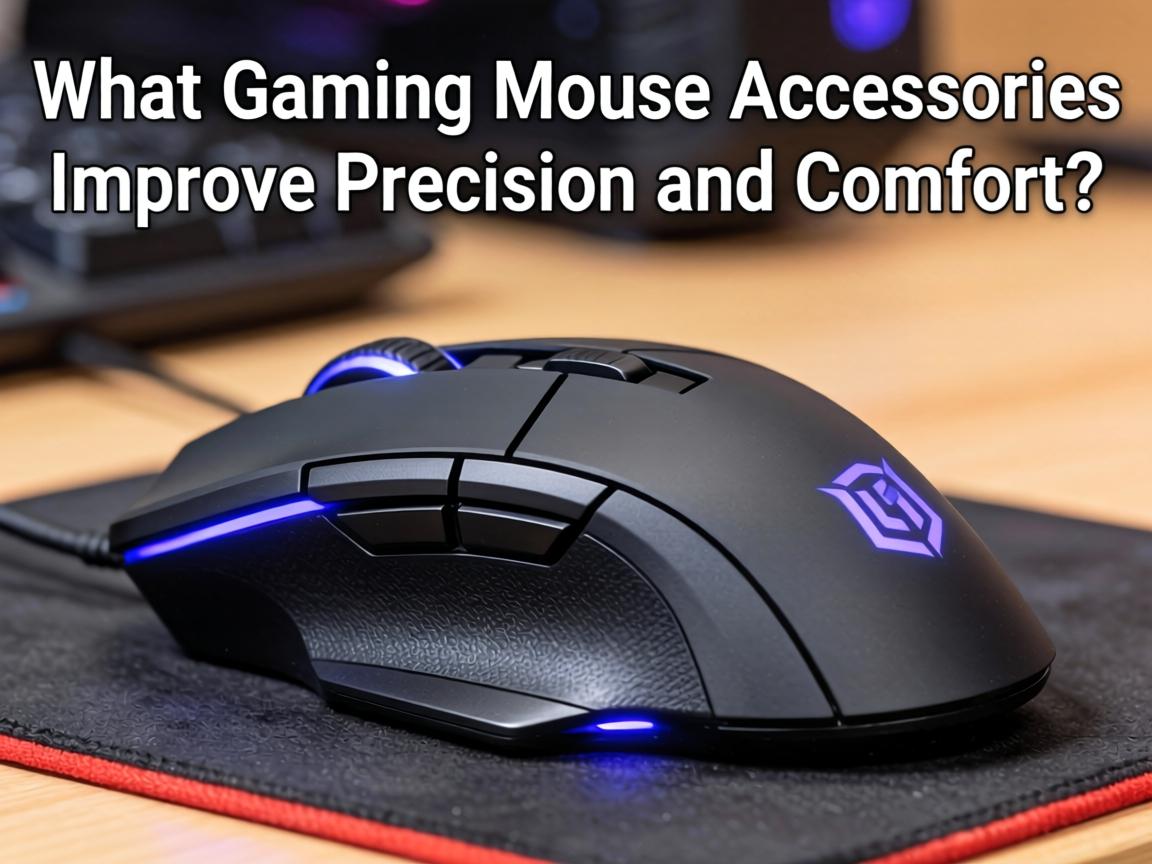

『What Gaming Mouse Accessories Improve Precision and Comfort?』
The gaming mouse is one of the most critical components of any gaming setup, serving as the primary interface between player and game. While a quality mouse provides the foundation, the right accessories can significantly enhance precision, comfort, and longevity. From specialized mouse pads to grip enhancements, gaming mouse accessories offer numerous ways to optimize your pointing device for peak performance. This guide explores the accessories that can elevate your gaming mouse experience.
**The Gaming Mouse Ecosystem**
Modern gaming mice are precision instruments, but they perform best when paired with appropriate accessories. The right combination of surface, grip, and maintenance tools can transform good mouse performance into exceptional control. Understanding how these accessories interact with your mouse helps you build a setup that maximizes your potential in-game.
**Mouse Pad and Surface Options**
The foundation of mouse performance:
1. **Extended Desk Mats**: Large surfaces (900x400mm+) that provide consistent tracking space while protecting your desk and adding aesthetic appeal
2. **Hard Mouse Pads**: Rigid surfaces that offer fast, consistent glide for low-friction gaming
3. **Cloth Mouse Pads**: Soft surfaces that provide control and comfort for extended sessions
4. **Hybrid Pads**: Combined materials that balance speed and control
5. **Glass Mouse Pads**: Ultra-smooth surfaces that provide consistent glide with minimal friction
6. **Metal Pads**: Durable aluminum surfaces that offer unique feel and longevity
**Grip Enhancement Accessories**
Improve handling and control:
– **Mouse Grips**: Adhesive rubber or silicone pads that improve traction and reduce slippage
– **Anti-Slip Tape**: Customizable grip solutions for specific hand positions
– **Side Grip Panels**: Replacement parts that add texture to mouse sides
– **Sweat-Resistant Coatings**: Treatments that maintain grip during intense gaming
– **Finger Sleeves**: Thin covers that reduce friction between fingers and mouse buttons
**Cable Management Solutions**
Eliminate cable drag and interference:
– **Mouse Bungees**: Spring-loaded arms that hold cables aloft, eliminating drag
– **Paracord Cables**: Ultra-flexible aftermarket cables that feel almost wireless
– **Cable Sleeves**: Braided covers that protect and improve cable flexibility
– **Wireless Charging Pads**: Qi-compatible solutions for wireless mouse charging
– **Cable Holders**: Desk-mounted solutions that route cables optimally
**Weight Customization**
Tune mouse feel to personal preference:
– **Weight Kits**: Modular systems that add or remove grams to adjust mouse heft
– **Tungsten Weights**: Dense materials that add significant weight in small packages
– **Weight Reduction Mods**: DIY solutions for removing excess material from lightweight builds
– **Balance Adjustments**: Strategic weight placement that optimizes center of gravity
– **Magnetic Weights**: Easy-to-swap systems for quick adjustments
**Mouse Feet and Skates**
Optimize glide and durability:
– **PTFE Mouse Skates**: Pure Teflon feet that provide smooth, consistent glide
– **Ceramic Feet**: Ultra-durable alternatives that maintain performance longer
– **Glass Skates**: Specialized feet for glass mouse pads
– **Rounded Edge Skates**: Design improvements that reduce scratching and improve glide
– **Replacement Feet Kits**: Spare skates for maintaining optimal performance
**Maintenance and Cleaning**
Preserve sensor accuracy and button response:
– **Sensor Cleaning Kits**: Tools for removing dust from optical and laser sensors
– **Contact Cleaners**: Solutions for maintaining switch performance
– **Microfiber Cloths**: Scratch-free cleaning for mouse surfaces
– **Compressed Air**: Dust removal for crevices and button gaps
– **Cleaning Putty**: Specialized materials for removing grime from textured surfaces
**Ergonomic Enhancements**
Improve comfort during extended use:
– **Palm Rests**: Supports that reduce wrist strain during low-sensitivity gaming
– **Ergonomic Grips**: Attachments that promote natural hand positioning
– **Wrist Supports**: Accessories that maintain neutral wrist alignment
– **Finger Rests**: Platforms that support fingers between clicks
– **Adjustable Palm Rests**: Solutions that accommodate different hand sizes
**Protection and Storage**
Safeguard your mouse investment:
– **Hard Cases**: Rugged protection for expensive gaming mice during transport
– **Soft Sleeves**: Compact protection for daily carrying
– **Dust Covers**: Protection when mice are not in use
– **Display Stands**: Showcase solutions for mouse collections
– **Travel Cases**: Organized storage for mice and accessories
**Performance Monitoring**
Track and optimize mouse performance:
– **Mouse Testers**: Software that verifies sensor accuracy and polling rates
– **Surface Analyzers**: Tools that test tracking quality on different materials
– **Lift-Off Distance Tools**: Methods for optimizing sensor height calibration
– **Acceleration Tests**: Verification that mouse movement translates linearly to cursor movement
– **Polling Rate Monitors**: Software that confirms reported USB polling frequencies
**Customization and Aesthetics**
Personalize mouse appearance:
– **Mouse Skins**: Adhesive covers that change mouse color and texture
– **RGB Controllers**: External devices that add lighting to non-RGB mice
– **Custom Cables**: Color-matched paracord for aesthetic coordination
– **Sticker Mods**: Decorative elements that personalize mouse appearance
– **Paint Jobs**: DIY solutions for complete color changes
**Wireless Optimization**
Maximize cordless performance:
– **Wireless Extenders**: USB dongle extensions that optimize receiver positioning
– **Charging Docks**: Convenient power solutions for wireless mice
– **Battery Monitors**: Software that tracks wireless mouse battery levels
– **Power Saving Settings**: Configuration options that extend battery life
– **Signal Boosters**: Solutions that improve wireless connection stability
**Competitive Gaming Accessories**
Tools for esports performance:
– **Tournament Mice**: Lightweight designs optimized for competitive play
– **Spare Mouse Skates**: Quick replacement for worn feet during events
– **Backup Mice**: Identical models for consistent feel if primary fails
– **Mouse Warmers**: Solutions that maintain consistent mouse temperature
– **Quick-Swap Systems**: Methods for rapid mouse changes between matches
**Conclusion**
Gaming mouse accessories offer numerous pathways to improved performance, comfort, and personalization. Whether you’re seeking competitive advantages through optimized surfaces and grips, extending equipment life through proper maintenance, or simply expressing your style through customization, the right accessories make a significant difference in daily gaming. By understanding the vast ecosystem of mouse accessories available, you can create a pointing experience that feels like a natural extension of your hand, translating your intentions to on-screen action with precision and reliability.